The core issue that is keeping the majority of Windows users away from changing their theme is the complexity of the procedure. While it takes just a click to install basic new themes under Windows 7 that change the wallpaper, color scheme and maybe some sounds, it is not as easy to switch to a full theme.
Why? Because Microsoft has built-in protections into the operating system to prevent tampering with core operating system interfaces. Before it is even possible to start changing themes under Windows it is necessary to patch those system files.
This meant running one or multiple programs back in the days. To make matters worse, some programs were not compatible with 32-bit versions and some offered different program versions for that. Lots of confusion in this regard.
The Windows 8 Skin Pack 1.0 For 7 is different. It comes with an installer that takes care of everything, if you want. It patches the uxtheme.dll automatically before installing all necessary theme files to turn Windows 7 into Windows 8.
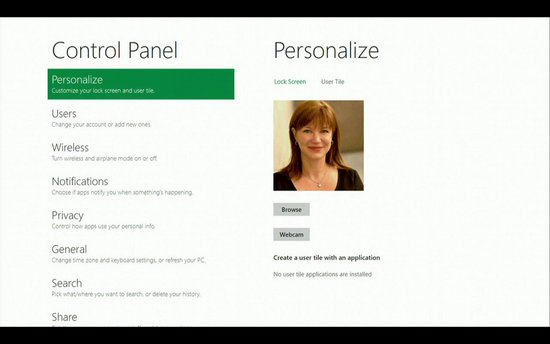
Take a look at a screenshot of a Windows 7 Professional system after installing the Windows 8 theme on the system.
The theme installs the new Windows 8 login screen, wallpapers, taskbar modifications and a lot more.
Installation of the theme is a breeze. I recommend you create a system restore point before you start the installation though. This is a disaster recovery option then, to turn back to the old system if the installation goes wrong.
The easiest way to do that is to click on the start button and enter restore point in the search box there. Select Create a restore point from the search results and follow the instructions on screen.
You can download the theme installer directly from Windows 8 News. Everything is packed into a zip file. Just extract the contents and run the installer afterwards. You can unselect items if you like, but it is not recommended due to compatibility reasons.
8 Skin Pack 1.0 For 7

Download Windows 8 Skin pack here
or
Download Windows 8 Transformation pack Here
You are asked to restart the PC afterwards, and will be greeted with the new Windows 8 log on screen after you have done so.
The Windows 8 theme comes with a full Aero theme and an Aero lite theme, which is a basic theme. It is possible to switch between both easily with a right-click on the desktop and the selection of Personalize.
What we really like about the theme is the super easy way to install it. Please note that you need to uninstall the theme to undo all the changes made to the operating system. It is not enough to switch to another theme, as some modifications have been hard coded into the system files.
All system files are restored during un-installation, and now traces of the theme are left on the system.
Read More